See station conditions
Track tank levels, pump status, motor amps, and PLC communication.
Monitor your pump stations and notify the right people when an alarm needs attention.
Get Station Manager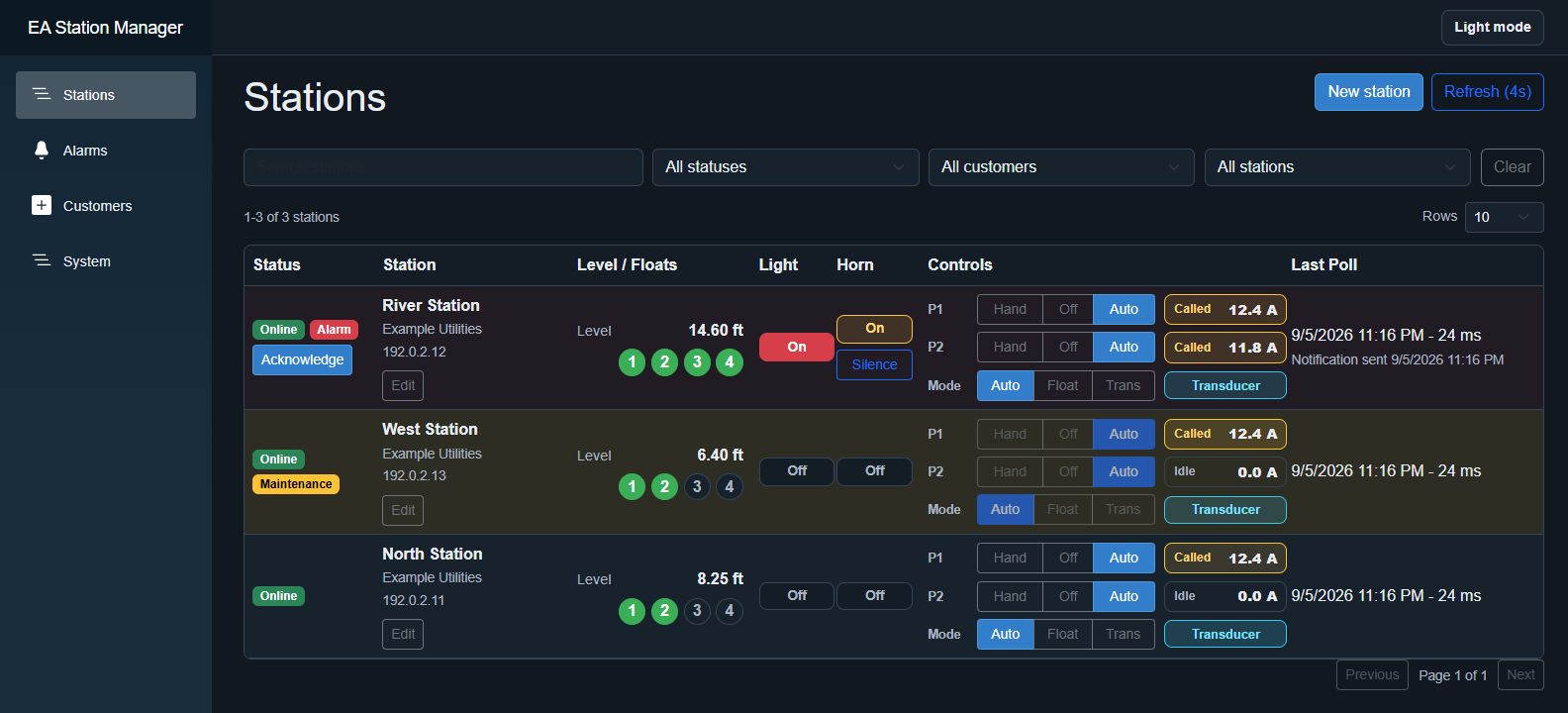
Track tank levels, pump status, motor amps, and PLC communication.
Send text and voice alerts in your chosen contact order. Set escalation and repeat delays, and review notification history.
Set Hand/Off/Auto modes, silence station alarms, and enable maintenance mode on compatible PLCs.
Run the installer as an administrator on your station management PC.
Open the app in your browser and enter your supplied activation ID.
Add your stations and configure notification contacts and alerts.
You’ll need network access to compatible PLCs and an internet connection for licensing and notifications.
64-bit Windows · MSI installer
Download for WindowsLicense required. Ask about licensing ↗
Get help with licensing, PLC compatibility, or setup.